> For the complete documentation index, see [llms.txt](https://docs.shark.top/llms.txt). Markdown versions of documentation pages are available by appending `.md` to page URLs; this page is available as [Markdown](https://docs.shark.top/g/cod/exit/lb/use.md).
# LB 使用教程
## 下载
{% embed url="" %}
**下载对应的版本**
{% endembed %}
## **解压**
**用解压软件(没有解压软件的话:**[**点击下载解压工具**](https://shark.lanzouu.com/b0izsph9i)**)**
**把压缩包里所有文件解压到桌面一个文件夹里,有解压软件的无视,直接解压即可**
 ## 注入前准备
{% hint style="danger" %} **电脑设置:**
**卸载电脑里的所有****`杀毒`****软件(**~~**电脑管家 360 鲁大师**~~** ****等等)**
**关闭电脑里的****`自带杀毒/防火墙/安全中心`**
**卸载**** ****`Faceit`****反作弊 和 瓦洛兰特反作弊****`(Valorant Anti-Cheat)`**
{% endhint %}
{% content-ref url="/pages/Z5DrxyW5B7GTIDROnvjr" %}
[关闭Win10/Win11病毒防护教程](/misc/win/antivirus.md)
{% endcontent-ref %}
{% hint style="info" %} **注意:****`2K/4K`****显示器分辨率请改为****`1920*1080`**
**缩放改为****`100%`**
**如果不修改会导致注入会崩溃**
{% endhint %}
## 注入前准备
{% hint style="danger" %} **电脑设置:**
**卸载电脑里的所有****`杀毒`****软件(**~~**电脑管家 360 鲁大师**~~** ****等等)**
**关闭电脑里的****`自带杀毒/防火墙/安全中心`**
**卸载**** ****`Faceit`****反作弊 和 瓦洛兰特反作弊****`(Valorant Anti-Cheat)`**
{% endhint %}
{% content-ref url="/pages/Z5DrxyW5B7GTIDROnvjr" %}
[关闭Win10/Win11病毒防护教程](/misc/win/antivirus.md)
{% endcontent-ref %}
{% hint style="info" %} **注意:****`2K/4K`****显示器分辨率请改为****`1920*1080`**
**缩放改为****`100%`**
**如果不修改会导致注入会崩溃**
{% endhint %}

 ## 注入
{% hint style="danger" %} **注意:一定要****`先开辅助`****并根据下述流程****`完成初始化以后再开游戏`**
**`请勿在游戏内直接打开辅助`**
{% endhint %}
**`管理员运行`****软件(需在游戏前辅助)**
**软件****`提示初始化成功`****后选择平台**
**选择完平台后再启动游戏(初始化过程大约一分钟)**
## 注入
{% hint style="danger" %} **注意:一定要****`先开辅助`****并根据下述流程****`完成初始化以后再开游戏`**
**`请勿在游戏内直接打开辅助`**
{% endhint %}
**`管理员运行`****软件(需在游戏前辅助)**
**软件****`提示初始化成功`****后选择平台**
**选择完平台后再启动游戏(初始化过程大约一分钟)**
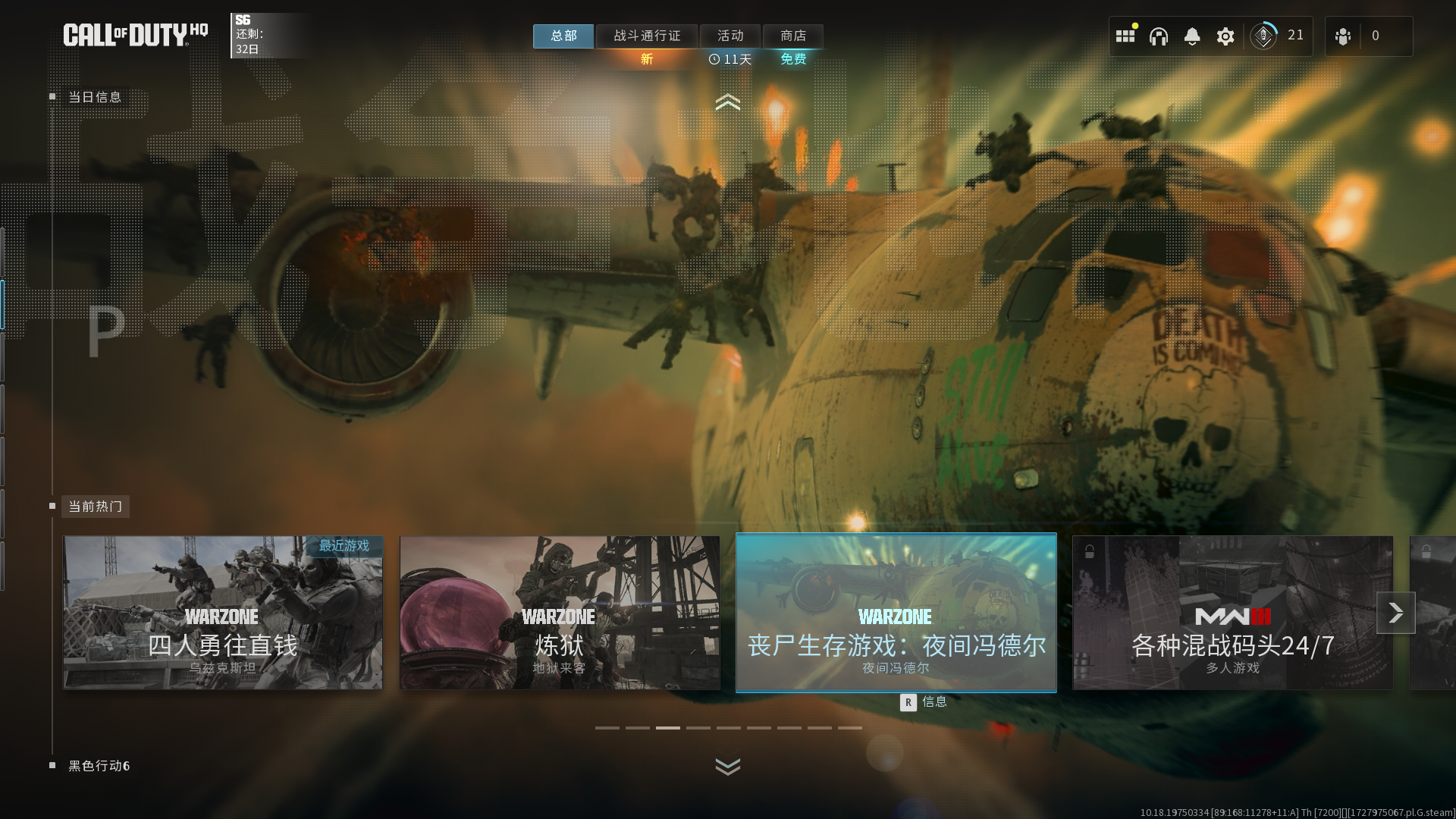
 **`完成初始化后`****进入到游戏大厅按****`Home`****键激活菜单**
**等待所有动画,通行证画面结束后,到达选择模式画面按Home激活菜单**
**如果按一次没反应就多按几次 还不行就等1分钟再按几次**
**`完成初始化后`****进入到游戏大厅按****`Home`****键激活菜单**
**等待所有动画,通行证画面结束后,到达选择模式画面按Home激活菜单**
**如果按一次没反应就多按几次 还不行就等1分钟再按几次**
 {% hint style="warning" %} **如果游戏提示“****`更新需要重启`****”点“****`立即重启`****”**
**游戏重启后退出游戏**** ****`再重新开启软件`****(游戏重启进程 ID 变化软件需要重新识别)**
{% endhint %}
## **使用**
**点击 `INS` 呼出/隐藏菜单**
**`鼠标点击` 操控菜单**
**`END`卸载菜单**
**`HOME`开启/隐藏功能提示**
## 问题说明
{% tabs %}
{% tab title="1.自瞄按照设置的没效果:" %}
**没按说明改建 默认鼠标侧键自瞄 放到按钮自己改**
{% endtab %}
{% endtabs %}
{% tabs %}
{% tab title="2.软件闪退:" %}
**开某个功能就闪退 就不开 比如开了放置物显示过几秒闪退 就不开这个功能**
**物品/玩家热能上色 可能导致闪退 出现频繁请关闭换骨骼透视**
{% endtab %}
{% endtabs %}
{% tabs %}
{% tab title="3.Home呼不出菜单:" %}
**几种原因:1.Home没按出来 多按几次**
**2.刚上游戏就按 没过完动画/没到主界面(重启游戏)**
**3.游戏更新 提示更新需要重启 没按说明关闭游戏,重开软件,重上游戏】**
**4.用虚拟键盘,不支持虚拟键盘,换带home键的键盘(询问卖你的键盘商怎么按出Home)**
{% endtab %}
{% endtabs %}
{% tabs %}
{% tab title="4.暴雪/战网平台开启没效果或闪退:" %}
**战网不支持 只支持xbox/steam平台 换steam/xbox平台重新下载游戏**
{% endtab %}
{% endtabs %}
{% hint style="warning" %} **如果游戏提示“****`更新需要重启`****”点“****`立即重启`****”**
**游戏重启后退出游戏**** ****`再重新开启软件`****(游戏重启进程 ID 变化软件需要重新识别)**
{% endhint %}
## **使用**
**点击 `INS` 呼出/隐藏菜单**
**`鼠标点击` 操控菜单**
**`END`卸载菜单**
**`HOME`开启/隐藏功能提示**
## 问题说明
{% tabs %}
{% tab title="1.自瞄按照设置的没效果:" %}
**没按说明改建 默认鼠标侧键自瞄 放到按钮自己改**
{% endtab %}
{% endtabs %}
{% tabs %}
{% tab title="2.软件闪退:" %}
**开某个功能就闪退 就不开 比如开了放置物显示过几秒闪退 就不开这个功能**
**物品/玩家热能上色 可能导致闪退 出现频繁请关闭换骨骼透视**
{% endtab %}
{% endtabs %}
{% tabs %}
{% tab title="3.Home呼不出菜单:" %}
**几种原因:1.Home没按出来 多按几次**
**2.刚上游戏就按 没过完动画/没到主界面(重启游戏)**
**3.游戏更新 提示更新需要重启 没按说明关闭游戏,重开软件,重上游戏】**
**4.用虚拟键盘,不支持虚拟键盘,换带home键的键盘(询问卖你的键盘商怎么按出Home)**
{% endtab %}
{% endtabs %}
{% tabs %}
{% tab title="4.暴雪/战网平台开启没效果或闪退:" %}
**战网不支持 只支持xbox/steam平台 换steam/xbox平台重新下载游戏**
{% endtab %}
{% endtabs %}