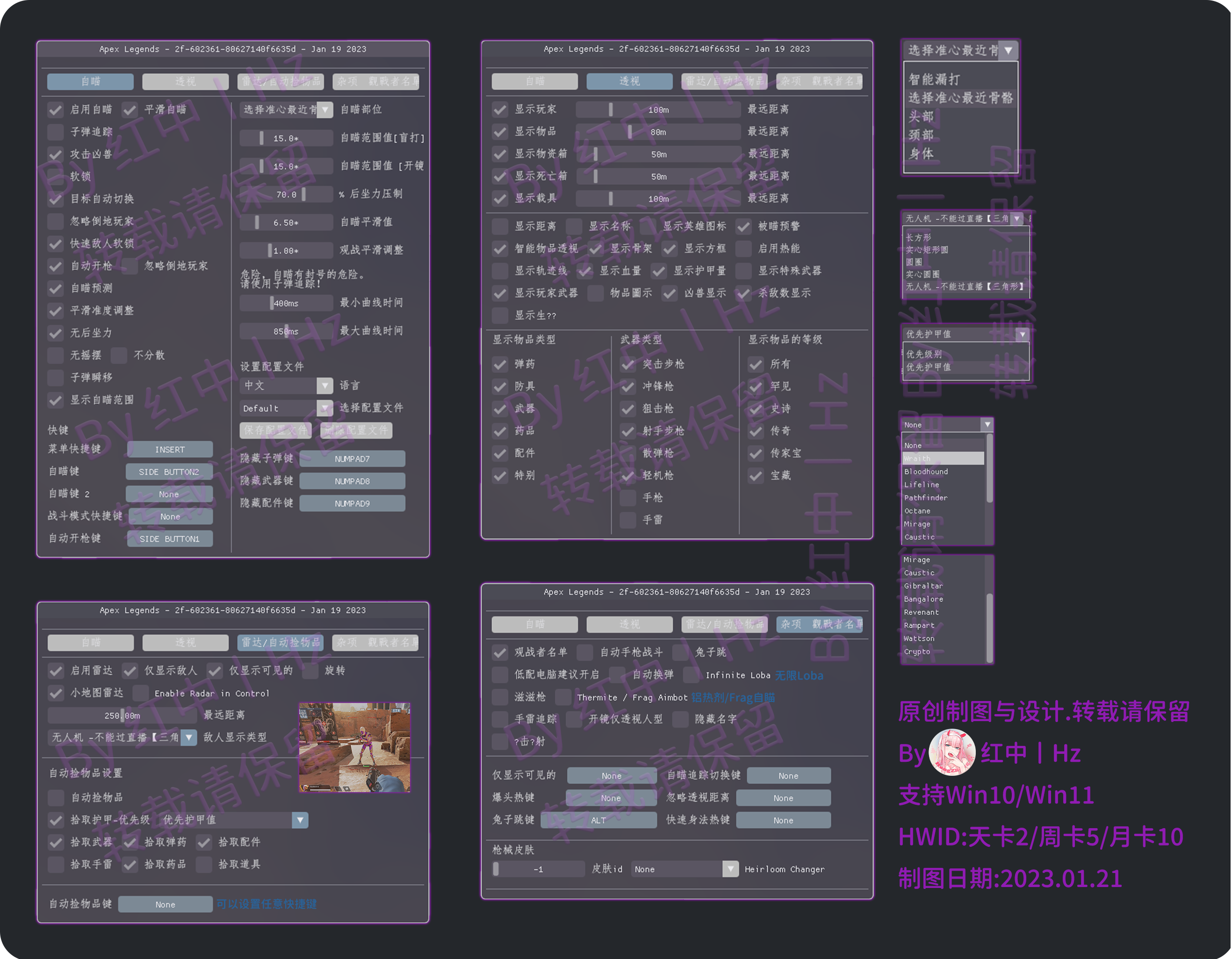
# LC功能图

{% hint style="success" %} <mark style="color:green;">**Pro与Lite版本区别**</mark>

<mark style="color:green;">**`Pro=高级版`**</mark><mark style="color:green;">**丨**</mark><mark style="color:green;">**`Lite=精简版`**</mark>

<mark style="color:green;">**LITE版沒有自瞄和追踪,仅自动扳机/百分比后坐力调整,可以稳定大号.(但适合有一定水平/身法/意识的玩家)**</mark>

<mark style="color:green;">**Lite版本没有透视方框,无法过OBS直播,Pro版本可以过OBS直播**</mark>
{% endhint %}

## 功能图

{% hint style="success" %} <mark style="color:green;">**`查阅功能图时`**</mark>

<mark style="color:green;">**`手机用户`**</mark><mark style="color:green;">**：推荐点击打开图片,长按并保存至相册内查看**</mark>

<mark style="color:green;">**`电脑用户`**</mark><mark style="color:green;">**：可通过下方链接下载功能图并解压查看＆点击打开图片,右键另存为电脑内查看**</mark>
{% endhint %}

{% embed url="<https://shark.lanzouu.com/b0iztal6f>" %}

<div align="left"><figure><img src="/files/FBDAcXwMhN5S1F5k8532" alt=""><figcaption></figcaption></figure></div>


---

# Agent Instructions: Querying This Documentation

If you need additional information that is not directly available in this page, you can query the documentation dynamically by asking a question.

Perform an HTTP GET request on the current page URL with the `ask` query parameter:

```
GET https://docs.shark.top/g/apex/exit/lc/show.md?ask=<question>
```

The question should be specific, self-contained, and written in natural language.
The response will contain a direct answer to the question and relevant excerpts and sources from the documentation.

Use this mechanism when the answer is not explicitly present in the current page, you need clarification or additional context, or you want to retrieve related documentation sections.